Terakhir diperbarui:
Meta Conversions API for WhatsApp sales solves a problem that many SMEs do not realise they have. When customers buy through chat, Meta never sees the purchase. As a result, your ads keep looking for people who like to chat, not people who like to buy.
I built Trigger CAPI to fix this for my clients. In this guide, I explain how it works in plain language.
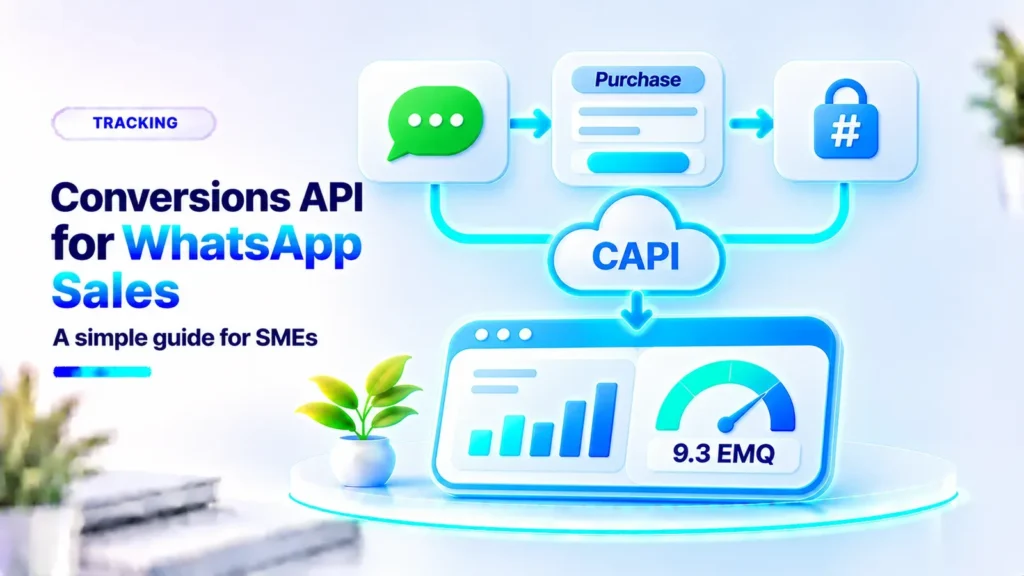
Meta Conversions API is the official way to send conversion data, such as purchases, directly to Meta. For WhatsApp sales, your team records each confirmed order and sends it as a Purchase event with its value and hashed customer details. Meta then optimises your ads towards people who resemble your real buyers.
What Data Is Sent?
| Data | Purpose |
|---|---|
| Event name | For example Purchase or QualifiedLead |
| Value and currency | Tells Meta how much each sale is worth |
| Hashed phone number | Helps Meta match the buyer to a user |
| Extra hashed details | Name, city, or postcode improve match quality |
| Event time | Records when the sale happened |
What Is Event Match Quality?
Event Match Quality, or EMQ, is a score from 0 to 10 in Events Manager. It shows how well Meta can match your data to its users. More complete customer details usually mean a better score. For example, orders from my own checkout page reached an EMQ of 9.3 because buyers filled in their details completely.
A Real Example
One client already sent purchase events, but the purchase value was missing from reports. After I fixed the configuration, around Rp25 million in purchase value became visible in Meta. Reports finally showed real revenue, not just chats.
How to Start Without a Developer
- Decide when a sale counts. For example, when payment is confirmed.
- Record every closing. Your team fills in a short form with product, value, and customer details.
- Send it to Meta. Trigger CAPI sends the event through Conversions API.
- Check Events Manager. Confirm events arrive and monitor the EMQ score.
Trigger CAPI is available as a self-install package or a done-for-you setup. See Trigger CAPI or ask me on WhatsApp.
To make sure your ads bring buyers in the first place, read my guide on Click-to-WhatsApp ads for international SMEs.
Common Mistakes When Starting
- Sending purchase events without a value.
- Recording sales days after they happen.
- Sending only some of the sales because the team forgets.
- Never checking Events Manager after setup.
Therefore, I always review the first few events with each client. This simple check prevents weeks of wrong data.
Which Events Should You Send?
Start with Purchase, because it is the most valuable signal. If sales are still rare, you can also send earlier events, such as QualifiedLead when a customer asks serious questions, or InitiateCheckout when they agree to buy and are waiting to pay. Later, when purchases are frequent, optimise your campaigns for Purchase.
Read Also
- Why Hire an Indonesian Meta Ads Specialist for Your International Business
- Meta Ads Specialist in Singapore for SMEs: Strategy, Creatives and Tracking
- Facebook Ads Specialist for Malaysia: Reaching Malay, Chinese and English Audiences
- Meta Ads for Businesses in Japan: Reaching Tourists and International Customers
Questions About Meta Conversions API for WhatsApp
What is Meta Conversions API?
The official way to send conversion data, such as purchases, from your systems directly to Meta.
Do I need a website to use it?
No. Sales confirmed in WhatsApp can be sent to Meta without a website transaction.
Is customer data safe?
Personal details are hashed before sending, so they are not sent as readable text.
What is a good EMQ score?
Higher is better. Sending complete customer details, such as phone, name, and city, usually improves the score.
Conclusion
Meta Conversions API for WhatsApp sales helps your ads learn from real buyers. Therefore, record every closing, send the value and customer details, and monitor your EMQ score. With this data, your WhatsApp campaigns can finally be optimised for sales.
Ready to send WhatsApp sales back to Meta? Try Trigger CAPI or talk to me on WhatsApp.
See Trigger CAPI Chat on WhatsApp